Lylac updates

Follow this folder to keep track of all Lylac updates, features, and news! šŸ—žļø

created by @lylac

New Lylac icon!, image 1

Your feedback shapes Lylac

If you have any feedback, or notes on how we can improve Lylac to be better for artists, designers and your creative practice, let us know and we’ll try our best to bring it to life. Lylac is a breath of fresh air for creative people. It combines a really easy and accessible way to create powerful portfolios, creative websites and dedicated digital studios spaces for us to use for our work, ideas, and wider practice. Want to start a competition? Make a studio for it. Want to showcase your work as its own website? Make a studio for it. Want to organise your projects and send them out to clients? Make studios for it. The versatility of Lylac is something that i’ve been perfecting for years now, and that’s the point, because as creatives, our work is so varied and dynamic. We don’t fit in boxes, so we make our own. If you’d like a feature, or you’re not happy with the way something works or looks on Lylac, let us know and we’ll be on it. Lylac is a community platform, and we’re in a unique position to shape Lylac around your needs. Don’t change yourself to fit the platform, we’ll change the platform to fit you.

Profiles on the web

Starting from today, profiles are now accessible on the web! Studios are already there and there are already loads of creatives using their studios as their link-in-bio, and now you can use your profile as one as well! Genuinely think this is way more helpful as a link-in-bio because your profile holds all your public studios; so all your portfolios, projects, diaries, and sketchbooks are accessible in one place. Remember everything you do in the app, whether on your profile, or in your studios, gets automatically synced with the web versions! Super easy and convenient ā­ļøšŸ§šŸ‡

Copy someone’s studio atmosphere!

If you like someone’s studio atmosphere, you can now copy it to your ā€œMY THEMESā€ directly from their studio page! At the top of the particular studio you like, tap on the new button ā€œāœØšŸŽØā€ and you’ll be asked if you want to copy that studio’s atmosphere. By copying, those exact studio atmosphere settings get added as an option to your ā€œMY THEMESā€ (accessible in the atmosphere wheel when you go to edit one your studios). You can also go through your ā€œMY THEMESā€ and get a glimpse for how it would look if you were to add it to your studio page. This feature is free, but only friends of Lylac can apply their MY THEMES to their studios. Free users can still choose from the vast array of preset options. šŸ‡šŸ§

You can now edit text posts! šŸ’¬šŸ“ššŸ“ To edit your text post, go to the text post in one of your studios, tap on the ā€œā€¦ā€ button in the top right corner of the page and then on edit post.

New sheet to describe Lylac

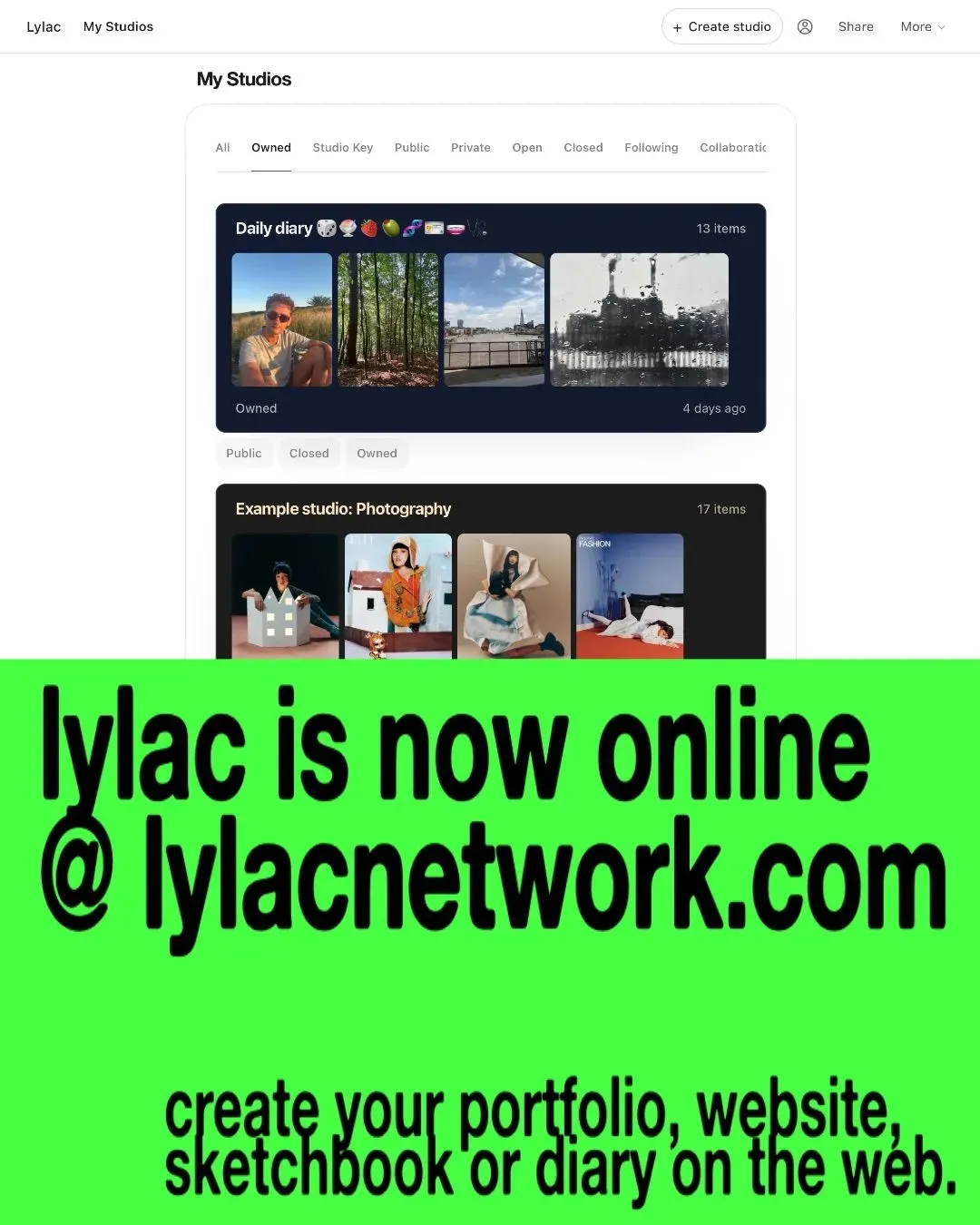
To anyone who doesn’t understand Lylac, or simply needs a refresh on what the point of lylac is, I’ve added a new button in the top left of the ā€œMY STUDIOSā€ tab that opens a sheet dedicated to explaining more thoroughly the thought + function behind lylac. ā­ļø

Updated user list pages

Pages that shows lists of people like the follower list pages and the creative tag list pages (tap on a create practice tag on someone’s profile to view everyone else on Lylac who has that tag) have been updated. Honestly I think it makes Lylac so much nicer. Not only is the content for every profile now fresh and always up to date (cool infrastructure improvements), but the user’s profile theme is now carried through. So if you set an image background, a different text colour, a glass effect etc, your user card throughout Lylac will now display your theme!

When adding new posts now, you no longer have to add a title, you just have to have at least one piece of content to prevent blank posts from being created. So for image posts, just an image/images is fine (no title needed). For text posts, either add a title or a description - either or is allowed. And for links, adding just the link is fine, and lylac will go off automatically and generate a screenshot of that particular link. No title necessary. Of course, add titles and captions to whatever you want to post if you like. Your studio, your choice ā­ļøā­ļø

a redesigned way to customise your studio atmosphere

We’ve rebuilt the way creators customise their studio atmosphere. You can now shape the feeling of your studio more intentionally, from presets to more advanced visual changes, depending on how much control you want. Free users still have access to a broad range of studio atmosphere presets, so every creator can make their space feel personal. Friends of Lylac get deeper customisation tools for building atmospheres that feel more specific, more expressive, and more their own. Your studio should feel like somewhere people can enter.

new update: save the atmospheres you love

Friends of Lylac can now save custom studio themes, including their own, and themes from other creators’ studios. That means when you come across a studio atmosphere that feels right, you can keep it, revisit it, and use it as a starting point for your own space. Your studio doesn’t have to look the same every time. It can shift with your work, your mood, your references, your season. A little library of atmospheres, built by you and the creative people around you.

Bug fixes, polish, and the boring important stuff

Alongside the bigger updates, we’ve also been fixing bugs and improving the small details that make Lylac feel better to use. Some updates are very visible. Others are behind the scenes: making posts load correctly, making links resolve properly, making studio cards behave more consistently, and making shared studios feel smoother. It’s not always glamorous, but it’s how Lylac becomes stronger.

Password-protected studios are now part of Lylac Pro

We’ve added password protection to studios as part of Lylac’s paid features. This is for people who want more control over what they share, whether that’s a private portfolio, a client-facing collection, a work-in-progress archive, a class resource, or a studio that’s only meant for a smaller group. Not everything creative needs to be fully public. Some things need a door.

Lylac feedback

17 pieces

Crop profile pic

You can now crop your profile pic + move it around as needed when adding one! Just head over to your profile > edit profile > profile pic! šŸ—ļøšŸ˜ļøšŸ•ļøšŸœļø

Link in bio button in studios

As means to communicate how studios can be your link-in-bio because you can post photos, texts, and links + are extremely customisable ( so much better than link-tree!! ), I’ve added a new button to the top of your studio page. This new sheet, I hope, helps to better frame this, with dedicated buttons to copy and share your studio, so it’s easier to access and understand for new users. :) šŸ‡šŸ§šŸ”—

New ā€œIdeasā€ tab

I’ve added a new Ideas tab to the My Studios page, a small place to help you get started, or find something new to make. Inside, you’ll find suggestions for different ways to use Lylac: things you could post, collect, build, share, archive, ask, show, or experiment with in your studios. Lylac is built to be flexible: your studio can be a portfolio, a sketchbook, a moodboard, a project archive, a research space, a collaboration space, a website, or something stranger and more personal. Ideas is there to open that up a little and to give you prompts, directions and possible starting points for your own creative space. You’ll find it in My Studios → Ideas. šŸ’”

You can now zoom in on photos! Zoom in, drag it around… they’re not immovable anymore!

Updated profile customisation

The profile page now has a new ā€œatmosphere’ button next to the ā€˜edit profile’ that allows you to customise your profile in an easier, more intuitive way. You might recognise this UI from the studio page, as I think it’s a better move to favour consistency in ui ux choices throughout the app instead of confusing everyone with new design systems. Check it out, add a theme to your profile and personalise your profile page, just as you can your studio ā­ļøā­ļø

studio cards just got more personal

We’ve also redesigned the way creators customise their studio card. Your studio card is often the first glimpse someone gets of your space, before they open it, before they explore the work inside, before they understand the world you’re building. So we’ve made it easier to shape how that first impression feels. Free users can choose from a wide range of presets. Friends of Lylac can go further, with more advanced customisation for creators who want their studio to feel completely distinct.

studios have achievements now

We’ve added achievements to studios: small markers that help recognise the way a studio grows, changes, and becomes part of the wider Lylac world. Studios aren’t just folders for work. They’re living spaces for projects, references, experiments, collaborations, and the archive behind a creative practice. Achievements are our way of making that growth feel a little more visible. More to come here.

Lylac is becoming more of a creative library

The last few updates have all been moving toward the same idea: Lylac should be a place where creatives can collect, organise, share, and shape their world. Your finished work matters. Your references matter Your links matter Your notes matter Your process matters Studios are becoming a way to hold all of that, not just as content, but as context. That’s the direction we’re building in.

Studio previews have been improved

We’ve been refining how studios appear across Lylac. Studio cards, previews, linked posts, and web studios have all had small improvements so that your studios feel clearer, cleaner, and more intentional wherever they appear. A lot of this work is quiet, but it matters. Lylac should feel like a place where creative work is presented with care, not squeezed into a format that was never designed for it.

Historical posts now appear on your home feed

Your home feed can now show older posts from the studios you follow. Before, the home feed mainly reflected newer activity going forward. Now, when you follow a studio, Lylac can surface posts that were already there, so your feed starts to feel fuller, richer, and more useful straight away. This is especially important for studios that are already built out. If someone has been carefully shaping a studio over time, you shouldn’t only see what they add next. You should be able to discover what they’ve already made, collected, and shared too. Thank you to Hannah for suggesting this! šŸ’™

Made with Lylac